Getting the Most Out of Knowledge Bases
TeamTeacher's agents can search curated collections of standards, frameworks, and curriculum documents while they're helping you — so instead of you copying a standard into the chat, or hoping the AI remembers it correctly, the agent looks it up and answers from the real document. This guide covers how that works and how to get the most out of it.
What a knowledge base is
Think of each knowledge base as a well-organized filing cabinet an agent already knows how to search — Common Core, the IB programmes, NGSS, state standards, and a few others. Ask about a standard, an assessment criterion, or a rubric descriptor, and the agent searches the relevant knowledge base and grounds its answer in that material instead of guessing from general training. For the full catalog and what's inside each one, see Curriculum Knowledge Bases.
You don't pick a knowledge base from a menu — you just ask your question, and an agent with the relevant knowledge base enabled searches it automatically.
Seeing what's available
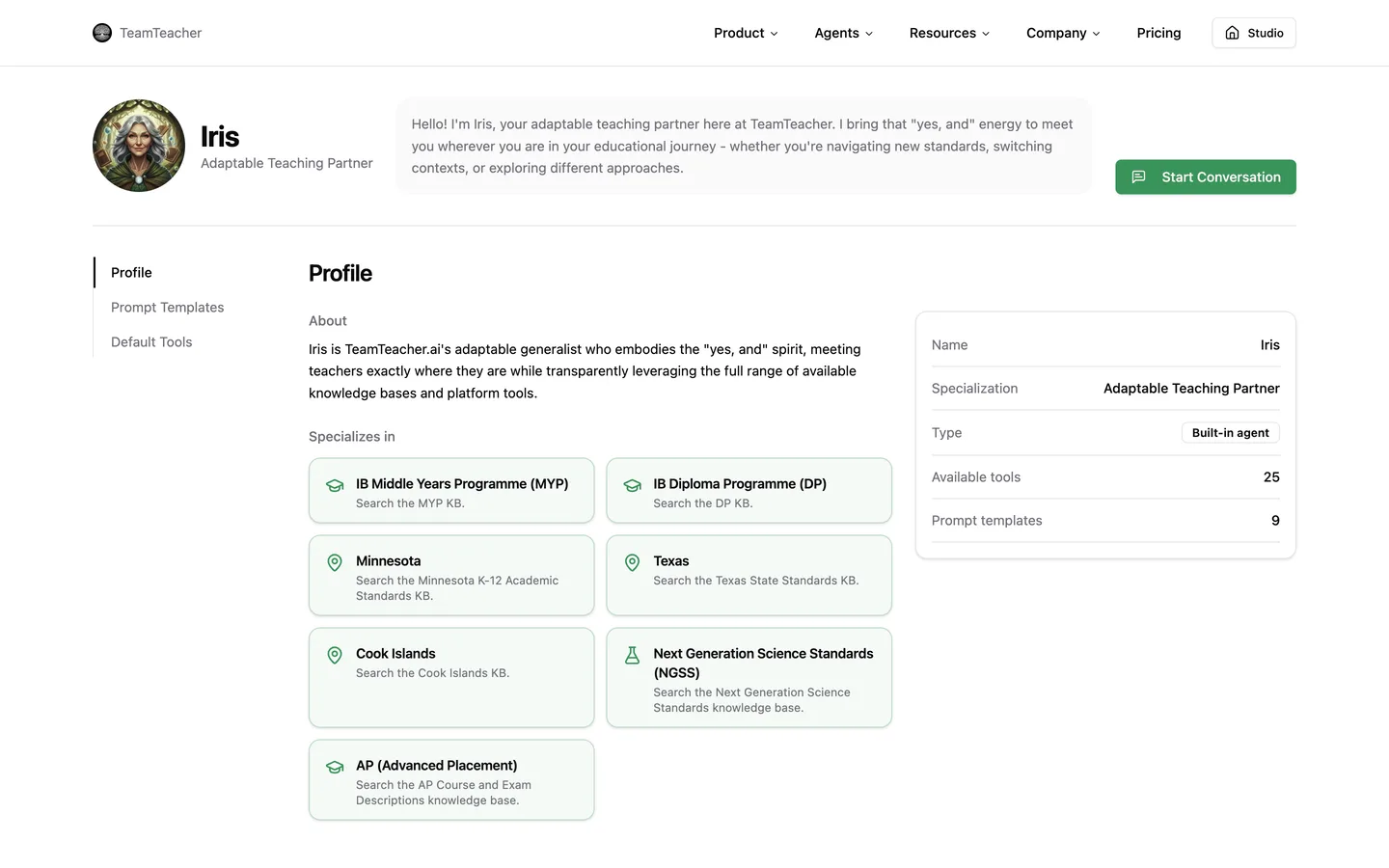
- An agent's profile page (
/agents/[name], e.g. Iris's page) lists its available tools and capabilities, including which knowledge bases it can reach. - The Tools directory has a Knowledge Bases category listing everything TeamTeacher has, with a status noted for each.
Letting the subagent search across frameworks
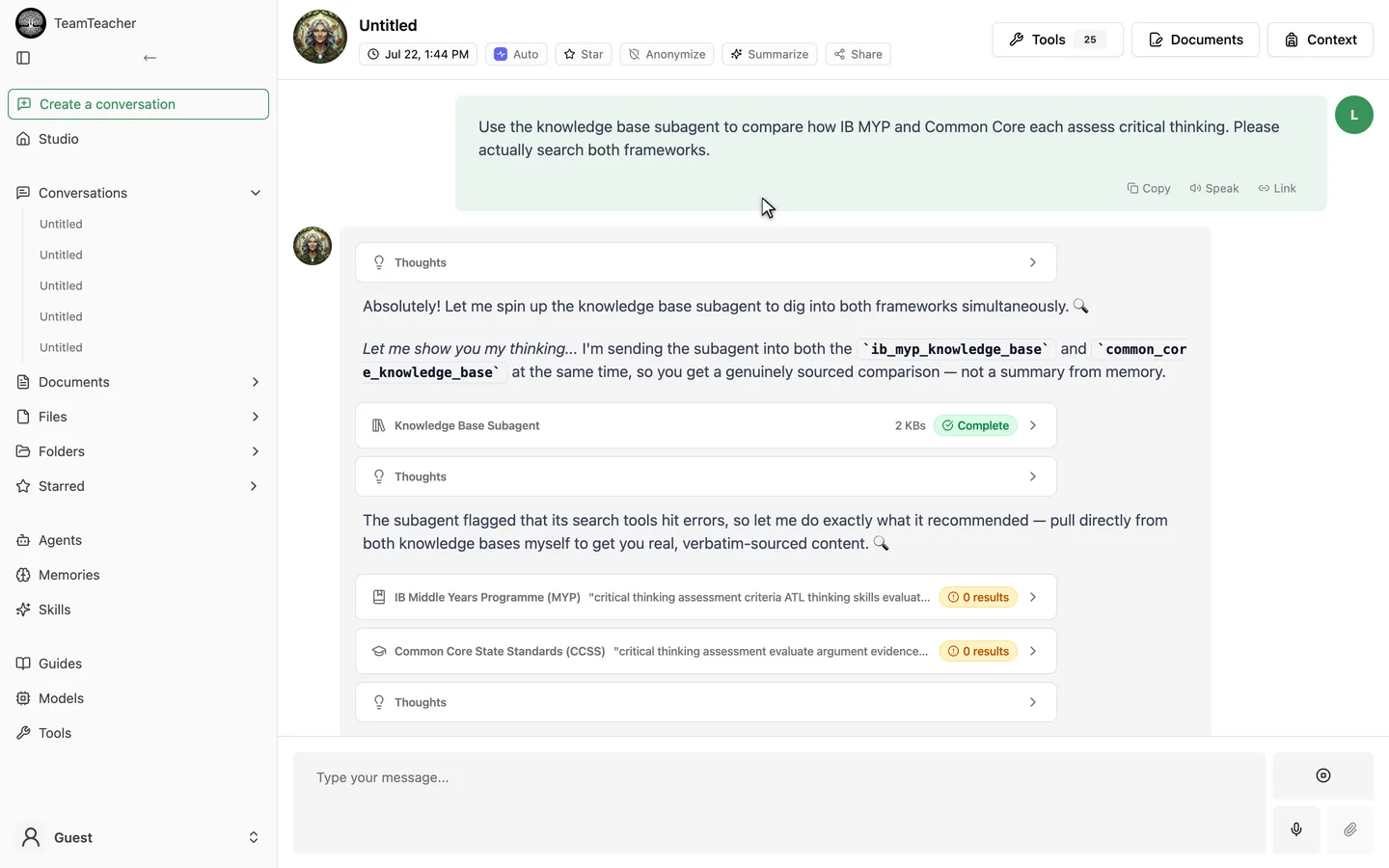
If your question spans more than one framework — "how does this compare between IB MYP and Common Core," for instance — an agent can delegate to the Knowledge Base Subagent rather than making you ask separately for each one. The subagent searches several knowledge bases at once and hands back one synthesized, cited answer. It's available on every account, free included.
You'll see it show up in the conversation as its own card, labeled Query and Subagent response, with a Sources list underneath. While it's working you'll see a rotating status message rather than the answer building token by token — the whole answer lands at once when it's done, which is a known limitation of how this is built, not a bug.
Quotes vs. citations
Not every knowledge base can be quoted word-for-word. Common Core, NGSS, UDL, and the other openly-licensed collections can surface a verified, verbatim excerpt alongside the citation. The IB programmes and the AP knowledge base are built from copyrighted material (IB and College Board content, respectively), so for those the agent is expected to cite — course, unit, or standard reference — rather than quote at length. If a quote can't be verified against what was actually retrieved, TeamTeacher strips the quote automatically and keeps the citation, so you won't see a fabricated quotation presented as real.
Getting better answers
- Ask naturally. You don't need to phrase things like a search query — plain-language questions work.
- Use the real terminology when you have it. Acronyms and exact standard codes (e.g. a specific MYP criterion, a TEKS code) help the agent find the right passage faster, especially in the more jargon-heavy frameworks.
- Say which framework you mean if you teach somewhere with more than one in play (a state's standards plus a national framework, for example) — it narrows the search instead of leaving the agent to guess.
Where this doesn't reach
- AP is Experimental and narrowly wired in. TeamTeacher has a knowledge base covering all 36 AP courses, built from College Board's official Course and Exam Descriptions — course frameworks (big ideas, units with exam weightings, learning objectives, essential knowledge statements, and practices), plus sample exam questions across all seven subject groups. Right now it's available through Iris and the Knowledge Base Subagent, not your subject-specific agent by default.
- A few other knowledge bases are also Experimental — NGSS, Texas, and Cook Islands among them. Experimental doesn't mean broken, but it means less scrutiny has gone into edge cases than our fully-released collections (Common Core, IB DP, IB MYP, UDL, Minnesota, Multilingual Learners/WIDA). Double-check anything that's going in front of a grade book or an official filing.
- This is separate from your own files and documents. Knowledge bases are TeamTeacher's curated curriculum content, not a way to search what you've uploaded or written yourself — see Files and Documents for that.
If you're teaching an AP course and want to see how it holds up, ask Iris a question tied to your course's CED — and let us know at support@teamteacher.ai if something looks off. It's new, and that kind of feedback is exactly how it moves from Experimental to something we'd stand behind fully.
⚙️ Under the Hood
Agents got smarter about how much of a knowledge base's internal documentation they read before searching it — pulling just a summary or outline instead of the whole thing every time. This doesn't change anything about what you see in a conversation; it just makes the agent a bit faster and cheaper to run behind the scenes.